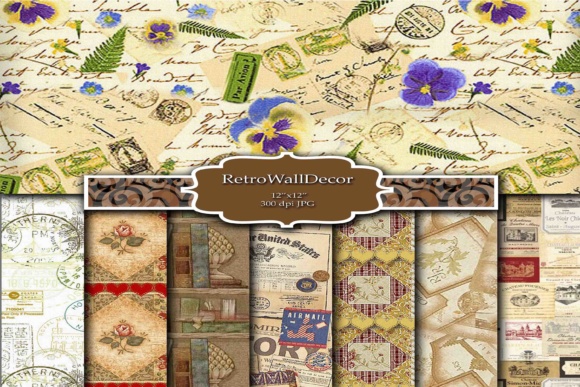
Digital Scrapbooking Paper: Versatile, High-Resolution Assets for Creative Professionals and Makers
Digital scrapbooking paper isn’t just a niche tool for memory-keeping—it’s a foundational digital asset class that bridges graphic design, craft production, education, and small-business operations. At its core, digital scrapbooking paper refers to high-fidelity, downloadable patterned or textured JPEG files—typically sized at 12 × 12 inches (3600 × 3600 pixels) at 300 dpi—designed for precise reproduction in both screen-based and print workflows. These files serve as flexible, reusable surfaces: backgrounds for social media graphics, layered elements in card design, substrates for decoupage templates, or even scalable gift wrap patterns when printed on specialty paper stock.
Why Resolution and Dimension Matter Beyond Aesthetics
The specification “300 dpi at 12 × 12 inches” is not arbitrary—it reflects industry-standard print readiness. Unlike web-optimized images (72–96 dpi), 300 dpi ensures crisp detail when output to physical media: no pixelation along cut lines, no blurring in fine linework, and faithful color fidelity across inkjet, laser, and commercial press environments. Each of the eight included JPEG files meets this benchmark, meaning they retain integrity whether scaled down to a 2-inch greeting card background or enlarged into a 24 × 24-inch framed art collage.
This resolution standard also supports hybrid workflows. For example, an educator printing classroom flashcards can use the same file for both a laminated handout (printed full-size) and a digital slide deck (resized proportionally). A small-batch stationery brand might layer one pattern over a die-cut SVG template, then export the composite for foil-stamping—without re-rasterizing or compromising edge clarity. The consistency across all eight files eliminates guesswork in prepress preparation, a subtle but critical advantage for time-constrained creators.
From Backgrounds to Functional Surfaces: Expanding Use Cases
While “scrapbooking” remains in the name, the functional scope of digital scrapbooking paper has broadened significantly. Its utility now spans five primary domains—each with distinct technical and creative demands:
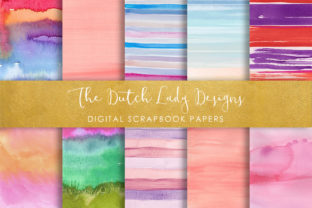
- Background Layering: Designers use these papers as non-repetitive, organic-feeling backdrops—especially where seamless tiling feels too mechanical. A watercolor-textured digital scrapbooking paper adds tactile warmth to a minimalist business card without requiring custom illustration.
- Decoupage Substrates: Crafters apply printed sections directly onto wood, glass, or resin using matte medium. Because each file is 300 dpi and edge-clean, scanned or photographed finished pieces retain professional polish—even under macro photography used for Etsy product listings.
- Gift Wrap Customization: Unlike mass-produced rolls, these digital printable papers allow personalization at scale: birthday themes, wedding monograms, or seasonal motifs printed on kraft, metallic, or recycled wrapping stock. One user reported reducing packaging waste by printing only what’s needed per event—no overstocked rolls gathering dust.
- Card and Invitation Design: Rather than building patterns from vector swatches, designers drop in a ready-made paper layer, adjust blend modes (e.g., Multiply for ink-like depth), and overlay typography. This accelerates prototyping while preserving chromatic nuance—especially important for Pantone-matched branding projects.
- Educational & Therapeutic Applications: Art therapists use muted-toned digital scrapbooking papers in digital collage exercises to reduce visual overwhelm. Teachers embed them into interactive PDF worksheets as “virtual bulletin board” textures—supporting spatial reasoning without physical materials.
Practical Considerations for Real-World Implementation
Adopting digital scrapbooking paper effectively requires attention to three often-overlooked factors: licensing, color management, and file interoperability.
Licensing clarity is essential—particularly for commercial users. These eight JPEG files are provided with extended-use rights: they may be incorporated into client deliverables (e.g., a wedding suite designed for a couple), printed on merchandise (like tote bags or notebooks), or embedded in digital products (such as Canva templates sold on marketplaces). However, resale of the raw JPEGs as standalone assets remains prohibited—a boundary that protects both creator intent and marketplace fairness.
Color accuracy depends heavily on calibration. While all files are delivered in sRGB—the universal standard for web and most consumer printers—professionals working with CMYK-heavy workflows (e.g., offset-printed catalogs) should soft-proof in Adobe Photoshop or Affinity Photo before final export. One designer noted that a deep indigo damask pattern appeared richer on screen than in early press proofs; adjusting the black point in CMYK mode resolved the discrepancy without altering the original JPEG.
Interoperability is simplified by the JPEG format’s near-universal support—but limitations exist. JPEGs don’t support transparency, so layering over complex graphics requires careful masking or background removal in editing software. For users needing transparent overlays (e.g., vellum-effect glazes), converting to PNG is possible—but doing so sacrifices the embedded color profile and may introduce compression artifacts if re-saved. The original JPEGs remain the single source of truth for fidelity.
User-Specific Advantages Across Professions
The value proposition shifts meaningfully depending on role and workflow intensity:
- Hobbyists appreciate the immediacy: download, open in free tools like Photopea or Apple Photos, drag onto a project, and print. No subscription, no learning curve—just tangible results in under ten minutes.
- Small Business Owners benefit from cost predictability. Instead of paying per-yard for custom-printed gift wrap, they invest once and generate unlimited variations—adding names, dates, or logos via simple text layers. One candle maker reported cutting packaging material costs by 65% after switching to on-demand digital printable papers.
- Educators use them to scaffold visual literacy. Students compare how the same floral motif reads differently across matte vs. glossy print stocks—or analyze how contrast ratios affect readability when overlaid with white text. These aren’t abstract concepts; they’re observable, adjustable variables.
- Graphic Design Freelancers rely on them for mood board efficiency. Dropping a tactile paper texture into a Figma layout conveys materiality faster than describing “linen finish” in a client brief. It also serves as a built-in style guide anchor—ensuring all collateral shares chromatic and textural continuity.
- Researchers in Material Culture have begun archiving digital scrapbooking papers as cultural artifacts—documenting how digital pattern-making reflects regional aesthetics, sustainability values (e.g., recycled-paper simulations), and even algorithmic trends (like AI-generated organic motifs entering the space).
Integration Into Broader Creative Ecosystems
Digital scrapbooking paper rarely exists in isolation. Its strength lies in composability—how easily it integrates with other tools and formats. Many users combine these JPEGs with vector cut files (SVG, DXF) for layered papercraft; others import them into Procreate or Clip Studio Paint as base layers for hand-drawn embellishment. In Adobe Illustrator, placing the JPEG and using Image Trace with “High Fidelity Photo” settings can extract dominant color palettes or generate simplified pattern derivatives—extending creative reuse beyond the original file.
For collaborative teams, standardized dimensions simplify version control. When a marketing team shares a branded digital scrapbooking paper library, every member starts from identical baselines—reducing inconsistencies in email headers, social banners, and printed promo kits. One nonprofit reported cutting cross-departmental revision cycles by nearly half after adopting a shared set of eight core patterns—including two from this collection—for all outward-facing materials.
Looking Ahead: Trends Shaping Future Utility
Three emerging developments are expanding how digital scrapbooking paper is conceived and applied:
- Responsive Pattern Scaling: As variable fonts gain traction, designers are experimenting with “responsive papers”—where subtle shifts in scale or opacity adapt to viewport size. While still experimental, this hints at JPEGs evolving beyond static assets.
- Sustainability-Linked Metadata: Forward-thinking creators embed environmental data (e.g., “simulated from FSC-certified paper stock”) directly into file descriptions—not as marketing fluff, but as verifiable context for eco-conscious buyers.
- AI-Augmented Curation: Tools now let users upload a photo and auto-generate matching digital scrapbooking paper palettes—identifying dominant hues, texture density, and contrast ratios. This doesn’t replace human selection but sharpens intentionality.
None of these require replacing existing JPEGs. Instead, they build upon their reliability—proof that foundational assets endure not by resisting change, but by enabling it.
Final Thought: Precision With Purpose
Digital scrapbooking paper succeeds because it balances precision with flexibility. It delivers measurable technical rigor—300 dpi, exact dimensions, consistent color space—while remaining agnostic to end use. Whether applied to a child’s handmade card or a museum exhibition catalog, it functions as both tool and translator: converting abstract creative intent into something physically resonant, visually grounded, and reproducibly accurate. That duality—rigorous enough for professionals, accessible enough for beginners—is why this category continues to evolve without losing its core utility.