Banana Split Digital Paper
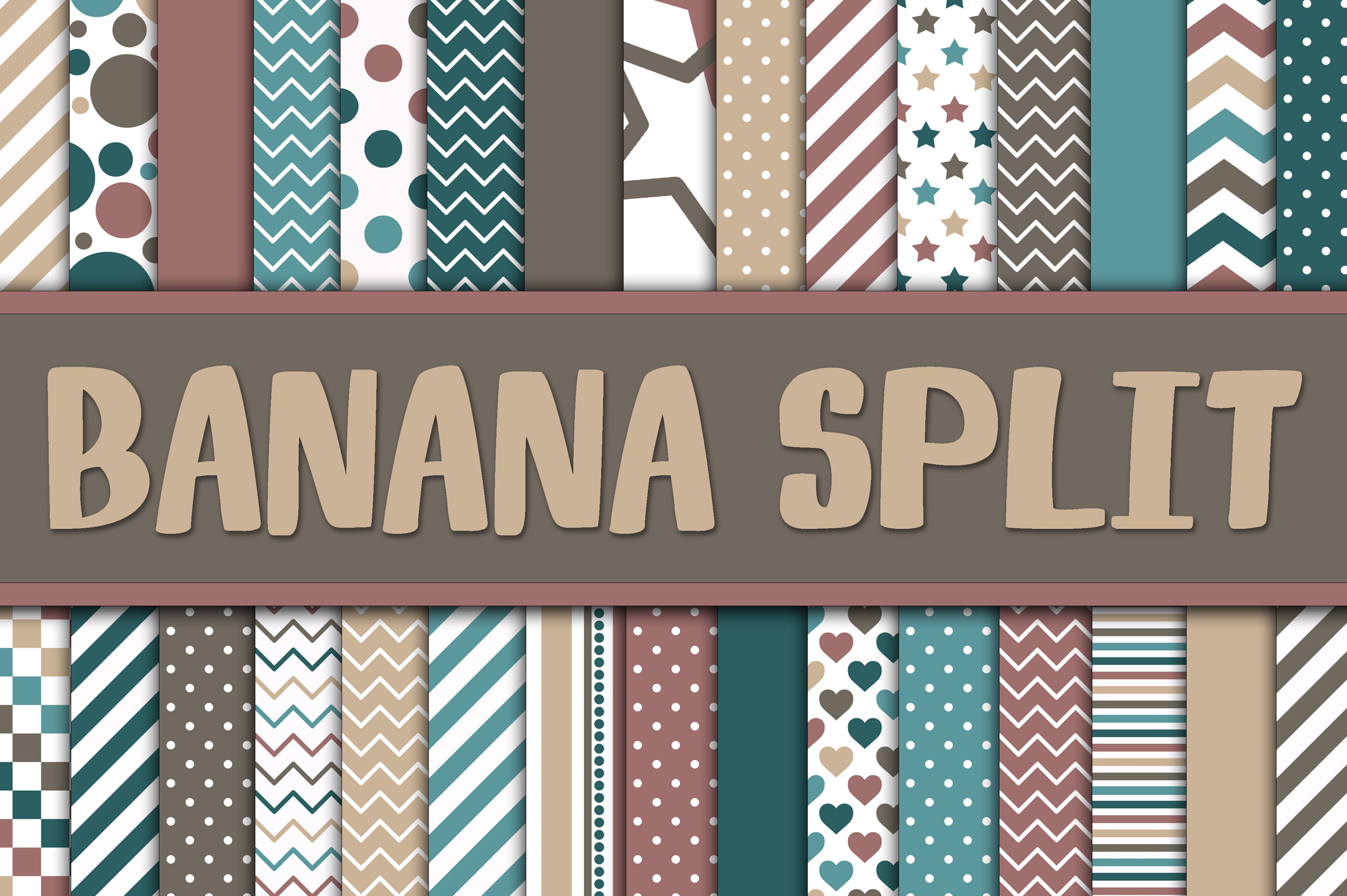
When you’re building visual assets for a project—whether it’s a wedding invitation suite, a branded social media template, or a handcrafted greeting card—the foundation matters. Banana Split Digital Paper delivers that foundation: 30 high-resolution, 12×12 inch JPEG files rendered at 300 DPI, designed with the nostalgic charm and balanced contrast of a classic banana split—strawberry pink, chocolate brown, and vanilla cream tones thoughtfully layered into cohesive, printable-ready patterns.
This isn’t just color theory applied decoratively. It’s functional design calibrated for real-world use. Each paper balances saturation, contrast, and texture so text remains legible when overlaid, elements stay distinct when cut or masked, and printed output retains fidelity across home printers and professional labs. That consistency reduces revision cycles, minimizes color-shift surprises, and supports faster decision-making in layout phases.
Where Banana Split Digital Paper Fits Into Your Workflow
Digital paper doesn’t exist in isolation—it integrates. Before a project begins, Banana Split Digital Paper serves as a mood anchor. Designers, educators, and small business owners often start by selecting a palette that signals tone: strawberry pink conveys warmth and approachability; chocolate brown grounds the composition with sophistication; vanilla adds breathability and neutrality. Choosing these papers early helps align stakeholders, inform typography choices, and guide photo editing decisions—all before a single element is placed.
During execution, the papers function as versatile substrates. In scrapbooking software like Photoshop or Affinity Designer, they layer beneath photos without competing visually—especially useful when working with light-toned images or handwritten journaling. For digital planners or Notion templates, lighter vanilla-based patterns reduce eye strain during extended use, while bolder strawberry or chocolate variants add visual hierarchy to section dividers or priority tags. Card makers use them as full-bleed backgrounds, then apply die-cut overlays or foil accents with predictable contrast.
After delivery, Banana Split Digital Paper continues supporting brand cohesion. A freelance marketer might reuse the same chocolate brown geometric pattern across a client’s email header, printable checklist, and Instagram story highlight cover—creating continuity without repetition. Educators repurpose the strawberry pink polka-dot variant across worksheets, reward certificates, and classroom signage, reinforcing recognition through consistent visual language—not just logos or fonts.
Compatibility and Practical Integration
All 30 Banana Split Digital Papers are delivered as JPEG files—a universally supported format that opens in virtually every design tool, from Canva and Cricut Design Space to Adobe Express and Microsoft PowerPoint. No plugins, no conversions, no version conflicts. This eliminates friction during onboarding, especially for teams with mixed software access or varying technical confidence.
For users managing large asset libraries, organization matters. Name files descriptively: BananaSplit_VanillaLinen_01.jpg, BananaSplit_StrawberryDots_07.jpg. Store them in a dedicated “Textures & Backgrounds” folder nested under your main project directory—not buried in downloads or scattered across cloud folders. When collaborating, share only the specific papers used in a given layout rather than the full set, reducing file size and keeping permissions focused.
If you’re using these papers for physical output—invitations, photo books, or gift tags—verify printer settings match the 300 DPI resolution. Most inkjet printers default to lower resolutions for speed; manually selecting “High Quality Photo” or “Best” mode ensures fine details in subtle textures (like a vanilla swirled marble or faint chocolate stripe) remain crisp. Test one sheet first on your preferred paper stock—matte vs. glossy finishes interact differently with warm tones.
Workflow Examples Across Roles
- Wedding Planners: Use the vanilla watercolor variant as a background for rehearsal dinner menus, then switch to strawberry pink gingham for RSVP postcards—maintaining theme continuity while differentiating purpose. Embed both into editable Canva templates shared with clients for self-service updates.
- Educators: Layer chocolate brown herringbone behind student award certificates to convey achievement without formality; pair with vanilla script fonts for readability. Reuse the same pattern across digital exit tickets and printable behavior charts—students recognize the visual cue instantly.
- Small Business Owners: Apply strawberry pink dot grid as a subtle background in product launch email headers, then mirror it in downloadable checklists or onboarding PDFs. The repetition builds subconscious familiarity without overt branding.
- Freelance Designers: Build a style guide for each client that includes approved Banana Split Digital Paper variants alongside font pairings and spacing rules. This turns subjective feedback (“make it feel friendlier”) into objective implementation (“swap in StrawberryDots_03 instead of ChocolateHerringbone_12”).
Quality Control and Long-Term Use
Because these papers are JPEGs—not layered PSDs or vector files—they’re optimized for stability. There’s no risk of missing fonts, broken links, or corrupted layers. That makes them reliable for archival projects or multi-year campaigns where software updates may render older file types obsolete.
Still, quality control starts with intention. Avoid over-layering—stacking multiple Banana Split Digital Papers creates muddy contrast. Instead, use one as base, then introduce solid-color overlays (at 10–20% opacity) to adjust tone or warmth. If printing on textured cardstock, test how the paper’s own grain interacts with the digital pattern; sometimes a smoother vanilla linen reads more cleanly than a high-contrast chocolate chevron.
Long-term, revisit your usage patterns every 6–12 months. Which variants get used most? Which sit untouched? That data informs future purchases—not just of digital papers, but of complementary assets: coordinating washi tape scans, matching SVG cut files, or even physical swatch books for client presentations. Consistency compounds, but only when guided by actual use—not assumptions.
Getting Started Without Overhead
You don’t need a full redesign to begin. Open your current project file. Replace one background layer with BananaSplit_VanillaSwirl_15.jpg. Adjust text color to ensure contrast (dark gray or deep chocolate brown works reliably against vanilla; white or soft pink against chocolate). Export and compare side-by-side with your original. Notice how the shift affects perceived tone—not just aesthetics, but emotional resonance.
Then expand deliberately. Add one strawberry variant to your next social media graphic. Use a chocolate paper as a subtle border frame in a printable habit tracker. Let functionality drive selection—not just preference. Over time, these papers become part of your visual vocabulary: efficient, recognizable, and quietly intentional.
They’re not decorative filler. They’re infrastructure—designed to support clarity, accelerate production, and reinforce message through thoughtful, repeatable detail.