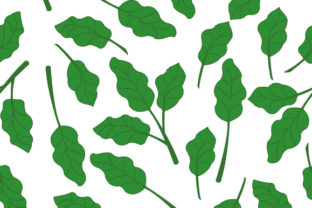
Green Leaf Seamless Pattern
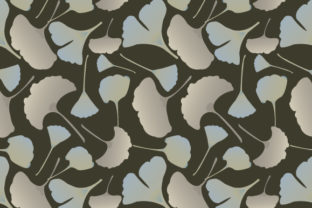
A Green Leaf Seamless Pattern is a repeating design where leaf motifs flow naturally from edge to edge—no visible seams, no awkward breaks. Think of it like wallpaper that wraps perfectly around a digital canvas or printed fabric: start anywhere, tile it endlessly, and it looks intentional, organic, and cohesive. It’s not just “green leaves on white”—it’s thoughtfully spaced, balanced in scale and density, and crafted so each tile aligns flawlessly with the next.
Why This Pattern Fits So Many Creative Needs
Whether you're designing a brand identity, updating your Etsy shop banners, or sprucing up classroom handouts, the Green Leaf Seamless Pattern offers quiet versatility. Its botanical charm feels fresh but timeless—neither overly trendy nor dated. It works equally well for wellness brands, eco-conscious startups, nature blogs, school projects, or even minimalist home decor printables. Because it’s rooted in natural forms, it adds warmth and calm without demanding attention. You don’t need design experience to use it meaningfully.
What Makes It Stand Out (Beyond Just Looking Nice)
- True seamlessness: No misaligned stems or floating leaf tips at tile edges—every element connects intentionally across boundaries.
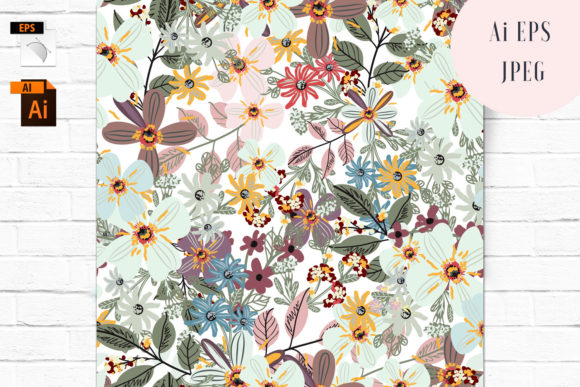
- Two formats, one purpose: The included vector EPS file scales infinitely without pixelation—ideal for large-format prints like posters or fabric yardage. The JPG version is ready for quick drag-and-drop into social posts, Canva templates, or email headers.
- Neutral yet expressive: Designed with soft greens and subtle tonal variation, it pairs easily with warm neutrals, crisp whites, deep charcoals, or even muted pastels—no clashing, no overcomplicating.
- Lightweight and adaptable: Not overly detailed or dense, so it won’t compete with text overlays or product photography. It supports—not overshadows—your message.
Real-Life Uses You Can Start With Today
You don’t need a big project to get value from this pattern. Here’s how people actually use it:
- Small business owners apply it as a background for invoice templates, packaging inserts, or thank-you cards—adding a polished, earth-friendly touch without custom illustration costs.
- Educators print it onto cardstock for nature-themed flashcards or use it as a gentle backdrop in student presentation slides about photosynthesis or ecosystems.
- Bloggers and content creators layer it behind quote graphics or use it to fill empty sidebars—giving their site a consistent, grounded visual rhythm.
- Fabric crafters and DIYers import the EPS into cutting software to create reusable stencils or adapt it for embroidery transfers.
- Freelance designers drop it into mockups—product labels, notebook covers, or web UI elements—to test how botanical texture interacts with typography and color palettes.
A Note on Practical Application
If you’re new to working with seamless patterns, start simple: open the JPG in any image editor, copy-paste it into a new document sized for Instagram (1080×1080), then use the “pattern overlay” or “fill” tool to auto-tile it. For print projects, open the EPS in Adobe Illustrator (or Affinity Designer) and adjust colors non-destructively using global swatches—change one green, and every leaf updates instantly. Both files are clean, layered minimally, and built with standard CMYK/RGB profiles, so what you see is what you’ll get on screen or paper.
Things to Keep in Mind Before You Use It
While the Green Leaf Seamless Pattern is flexible, thoughtful use makes all the difference:
- Consider contrast and legibility: If adding text, test readability—especially over darker leaf areas. A light semi-transparent overlay or subtle drop shadow can help words stand out cleanly.
- Match scale to context: Tiling the pattern too large on a business card may overwhelm; too small on a wall banner might vanish. Preview at actual size before finalizing.
- Respect usage scope: This is a single-design asset—not a full pattern library. It shines when used intentionally, not as filler. One well-placed application often speaks louder than ten scattered ones.
- Check your software compatibility: Most modern tools handle EPS and JPG smoothly, but if you're using older versions of free editors (like GIMP or Paint.NET), the EPS may require conversion first—stick with the JPG for those cases.
- Think beyond “background”: Try reversing colors for a bold monochrome version, or extract individual leaves as clipart. The vector format invites exploration—not just repetition.
When Simplicity Adds Real Value
In a world full of flashy graphics and AI-generated visuals, the Green Leaf Seamless Pattern stands out by doing one thing exceptionally well: offering quiet, reliable, nature-inspired texture. It doesn’t shout. It doesn’t distract. It simply supports—whether you're launching a sustainable skincare line, designing a kindergarten nature unit, or refreshing your personal stationery. Its strength lies in its restraint: clean lines, harmonious spacing, and a sense of growth without clutter.
And because it comes in both vector and raster formats, you’re covered whether you’re prepping for high-res printing or sharing a quick story highlight. No extra plugins. No steep learning curve. Just a thoughtful, ready-to-use piece of visual language that feels both grounded and graceful.
If you’ve ever hesitated to add pattern to a design for fear of overdoing it—that hesitation ends here. This isn’t about adding “more.” It’s about adding *right*. A little green, repeated with care, goes further than you’d expect.