Frozen Digital Papers
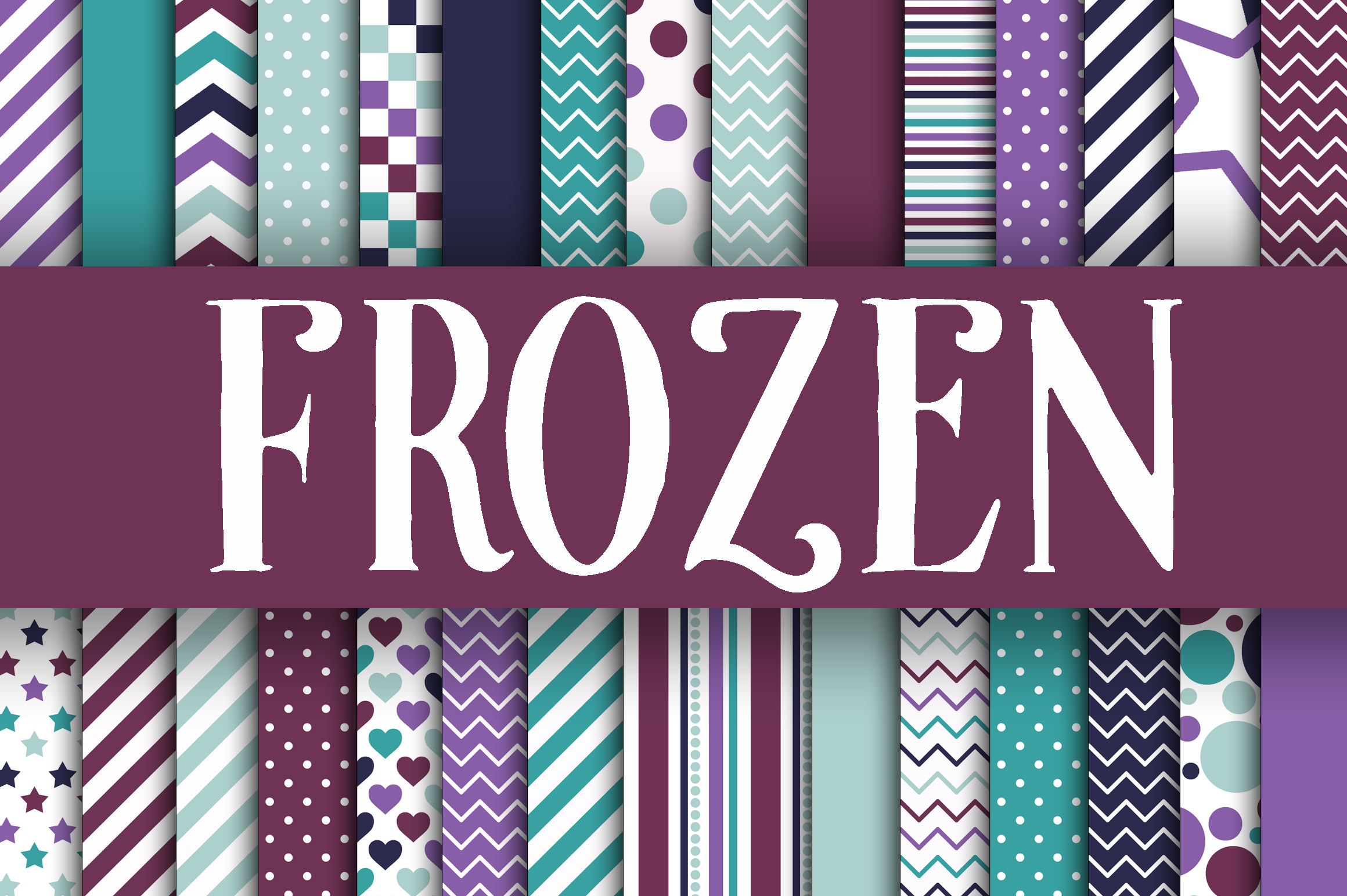
These Frozen digital papers evoke the quiet magic of a winter wonderland—crystalline, serene, and full of delicate beauty. Designed with icy blues, frosted whites, subtle silver glimmers, and soft snowflake motifs, they’re more than just decorative backgrounds. They’re versatile design assets that bring elegance and cohesion to creative work—whether you're crafting handmade wedding invitations, designing digital planners, assembling memory-keeping scrapbook layouts, or building branded social media templates.
What makes this collection especially practical is its thoughtful execution: 30 high-resolution JPEG files, each sized at 12 x 12 inches and delivered at 300 dpi. That resolution ensures crisp printing for physical projects—no pixelation on photo cards or layered invitation suites—and clean scaling for digital use in Canva, Photoshop, or Procreate.
Common Missteps When Choosing Frozen Digital Papers
Many creators—especially those new to digital design—assume all “winter-themed” or “frosty” papers are interchangeable. But not every set labeled “frozen” delivers true usability. One frequent oversight is downloading low-resolution files (72 dpi) expecting print-ready results. A paper that looks sharp on screen often blurs or softens dramatically when printed at 5x7 or 8x10—wasting time, ink, and paper.
Another subtle but costly mistake? Overlooking file format compatibility. While JPEGs are widely supported, some users unknowingly purchase PNGs with transparent backgrounds thinking they’ll layer easily—only to discover their printing software flattens transparency or misaligns layers. This collection avoids that confusion: it delivers JPEGs optimized for both digital editing and professional printing, with no hidden transparency surprises.
Some buyers also conflate visual style with functional variety. A set may feature 30 papers—but if 25 are near-identical light-blue gradients with minor snowflake variations, flexibility suffers. In practice, that limits how well you can create contrast across a multi-page project—like alternating light and dark backgrounds in a digital planner or balancing texture in a layered card design. This Frozen digital papers collection intentionally includes tonal range: deep glacial teals, soft misty greys, pearlescent whites, and even faint iridescent overlays—giving real design breathing room.
Why File Integrity Matters More Than You Think
It’s easy to focus only on aesthetics—but behind every reliable digital paper is consistent color accuracy, embedded color profiles (sRGB), and uniform naming conventions. Poorly named files like “IMG_001.jpg”, “background_2 copy.jpg”, or “frozen_final_v3_FINAL.jpg” slow down workflow, increase errors, and make batch editing nearly impossible. This collection uses clear, descriptive names—e.g., “Frozen_Digital_Paper_Icy_Silver_Flourish.jpg”—so you can sort, search, and apply with confidence.
Also worth noting: some sellers compress JPEGs excessively to reduce download size. The result? Banding in gradients, loss of fine detail in frost textures, or muddy color transitions. These Frozen digital papers were exported with balanced compression—preserving smooth tonal shifts while keeping file sizes manageable (typically 4–8 MB each). That means faster uploads to cloud editors and no unexpected quality drops when resizing.
How to Use Frozen Digital Papers Without Compromising Quality
If you’re using these for printed stationery—like save-the-dates or thank-you cards—always preview at 100% zoom before sending to print. What looks cohesive on a laptop screen may reveal alignment issues or subtle pattern repeats when scaled. Try placing two papers side-by-side in your layout software: does the scale of snowflakes feel harmonious across both? If one has oversized crystals and another tiny speckles, the visual rhythm breaks. This collection maintains consistent motif scale and spacing, so mixing and matching feels intentional—not accidental.
For digital planners or Notion templates, avoid stretching papers beyond 125% of original size. Even at 300 dpi, extreme enlargement risks softness. Instead, use them as base layers and overlay with vector icons or clean typography—letting the Frozen digital papers provide atmosphere, not compete for attention.
And if you're a small business owner creating branded content—say, a winter-themed product launch email series—don’t default to using the same paper for headers, dividers, and backgrounds. Vary opacity (try 10–20% overlay on text areas), crop tightly to highlight texture, or desaturate one paper slightly to create hierarchy. These subtle adjustments do more for professionalism than adding extra embellishments.
What to Verify Before Downloading or Purchasing
Before completing any purchase, check three things: first, whether the listing explicitly states “300 dpi” and “12 x 12 inches”—not just “high resolution” or “printable size.” Second, confirm the seller provides a preview of *actual* files—not just styled mockups. Real previews show grain, clarity, and color fidelity. Third, read recent buyer reviews mentioning print tests or software compatibility. Comments like “used in Cricut Design Space with no scaling issues” or “printed perfectly on matte cardstock” carry more weight than generic praise.
You’ll also want to verify licensing. These Frozen digital papers include a standard commercial license—meaning you can use them in client work, sell physical products (like printed cards), or include them in digital goods you distribute—provided you don’t resell the papers themselves or claim them as your original design. Always double-check license terms if you plan to use them in subscription-based templates or editable Canva templates sold to others.
Final Thought: Let Beauty Serve Function
The most effective Frozen digital papers don’t just look beautiful—they behave beautifully across tools and outputs. They load quickly, scale predictably, hold color consistently, and give you room to build rather than constrain your process. That balance between aesthetic charm and technical reliability is what turns a pretty download into a trusted resource—one you’ll reach for season after season, project after project.
Whether you’re hand-lettering a holiday card, designing a boutique wedding suite, or building a cold-and-beautiful brand mood board, these papers offer quiet sophistication without complexity. No plugins required. No learning curve. Just 30 thoughtfully crafted starting points—ready when inspiration strikes.